The 7 AI Blind Spots
Why capable, established businesses struggle to get real value from AI, and the practical steps that close each gap.
By Mark Yegge · About 20 minutes to read, with a 5-minute self-check
Start here
You already know AI matters. This report is about the part nobody explains.
You have built something real. A practice, a firm, a company with clients who trust you and a team that depends on you.
You have also heard, many times by now, that AI will change how business gets done. You probably agree. You may even have tried a tool or two.
What is usually missing is not interest or intelligence. It is a clear view of where AI fits in your business, and of the handful of quiet mistakes that cause most AI efforts to stall.
Those mistakes are what this report calls blind spots. They are not technical. They are management problems, and experienced business owners are well equipped to fix them once they can see them.
In MIT NANDA’s 2025 study of enterprise AI, the authors reported that 95% of organizations were getting zero measurable return on their generative AI investments. Their conclusion: the divide “does not seem to be driven by model quality or regulation, but seems to be determined by approach.”
Source: MIT NANDA, The GenAI Divide: State of AI in Business 2025; see also The Register, Aug 18, 2025. The study defines success as a marked and sustained productivity or P&L impact, and some commentators have questioned its methodology. The direction of the finding is the useful part: approach matters more than the tool.
In other words, the gap is rarely the technology. It is how the technology is brought into the business. That is good news, because approach is something you control.
How to use this report
Each of the seven blind spots follows the same simple pattern:
- What it is, in plain language.
- Why owners miss it, even very good ones.
- The cost of ignoring it.
- A quick example, either a real public case with its source, or a clearly labeled hypothetical.
- Three action steps you can start this month.
- A five-question self-check, so you can see where you stand.
Read it straight through, or jump to the blind spot that worries you most. At the end, your scores add up to a total out of 35, and a 90-day action plan shows you where to begin.
The self-checks score themselves as you tick the boxes. Nothing is sent anywhere; your answers are saved only in this browser.
Blind Spot #1
Buying Tools Before Mapping Workflows
You sign up for an AI tool because it looked impressive in a demo, a colleague recommended it, or an ad caught you on a busy day. Then you hope it finds a job to do.
A subscription is not a strategy. AI creates leverage only when it is pointed at a specific, repeating piece of work inside your business: the intake call, the proposal, the follow-up, the monthly report.
Why owners miss itBuying feels like progress. It is quick, it is visible, and the vendor makes it easy.
There is also a deeper reason. If you built your business over decades, the real workflow map lives in your head and in the heads of a few trusted people. It has never been written down. So there is nothing to fit the tool to.
The cost of ignoring itTools turn into shelfware. Monthly fees renew quietly. Your team concludes that “we tried AI and it didn’t work.”
Worst of all, the real opportunity, the routine work that eats your best people’s hours, stays exactly where it was.
Few AI projects make it from evaluation to everyday use
A firm signs up for an AI note-taker, an AI writing assistant and a website chatbot in the same quarter. Six months later the meeting notes sit unread, one person uses the writing tool, and the chatbot answers questions nobody asks.
Nobody had decided which hand-off each tool was meant to fix. The tools were fine. The order of operations was wrong.
- List your top 10 repeating workflows.One line each: intake, quoting, proposals, scheduling, follow-up, invoicing, reporting. Do it with your team, on one page.
- Mark the hours and the routine.For each workflow, note roughly how many hours a week it takes, who does it, and how much is judgment versus routine. Circle the two with the most routine hours.
- Only then choose a tool, for one workflow.Write down what “working” looks like after 30 days. While you are at it, review your current AI subscriptions and cancel anything nobody uses.
Self-check: Blind Spot #1
Tick each statement that is true for your business today. One point each.
My score: ______ / 5 (0–1 wide open · 2–3 partly covered · 4–5 well covered)
Blind Spot #2
No Data Hygiene
AI works with what you give it: your client list, your price sheet, your templates, your past proposals, your email history.
If that information is scattered, duplicated or out of date, AI does not fix it. It produces confident answers from bad inputs, faster than any person could.
Why owners miss itData problems are invisible day to day, because experienced people quietly correct them. “Ignore that column. Susan knows the real number.” AI does not know what Susan knows.
Many owners also hear “data” and think of giant corporate databases. For most professional firms, data means a few spreadsheets, a half-filled CRM, shared folders and a lot of email.
The cost of ignoring itWrong prices in quotes. Old contacts in client emails. Reports that do not reconcile. Each mistake costs a little trust, with clients and with your own team, who stop believing the tool.
And because AI works at speed, a bad input does not cause one error. It causes the same error many times.
AI amplifies whatever it is fed ILLUSTRATIVE
An AI assistant drafts renewal reminders from the client database. The same client appears three times, and one record still lists a contact who left that company two years ago.
The reminder goes to the wrong person, quoting last year’s fee. The AI did exactly what it was told. The data told it the wrong thing.
- Pick one data source.Choose the single source your first AI workflow will use: the client list, the price list or the template library. Just one.
- Name an owner and clean it.Remove duplicates, mark the official version as the source of truth, and archive the rest so nobody (and no AI) uses the old copies.
- Set a keep-it-clean rule.Decide who updates it and when. Put a 15-minute monthly check on the calendar. Small and regular beats a big annual clean-up.
Self-check: Blind Spot #2
Tick each statement that is true for your business today. One point each.
My score: ______ / 5 (0–1 wide open · 2–3 partly covered · 4–5 well covered)
Blind Spot #3
Treating AI Output as Final
AI writes fluently and sounds sure of itself, even when it is wrong. These tools generate plausible answers, not verified ones.
This blind spot is treating the first draft as the finished product: sending it, filing it or relying on it without a human check.
Why owners miss itThe output looks polished. It is often better formatted than a rushed human draft, so it feels finished.
The errors are also subtle: a date that is slightly off, a reference that does not exist, a figure that is almost right. Under time pressure, almost right slips through.
The cost of ignoring itYour name is on the output, not the software’s. Two public cases make the point clearly (see the box below).
The direct penalties in those cases were modest. The reputational cost was not: both became widely reported cautionary tales.
A simple verification layer: three lanes
Mata v. Avianca (2023). A federal judge in Manhattan sanctioned two lawyers and their firm, with a $5,000 penalty, after they filed a brief citing six court decisions that ChatGPT had invented. (Reuters, June 22, 2023; court order)
Moffatt v. Air Canada (2024). British Columbia’s Civil Resolution Tribunal held the airline responsible for a wrong answer its website chatbot gave about bereavement fares, and rejected the argument that the chatbot was responsible for its own words. (Decision, 2024 BCCRT 149; CBC News)
- Sort AI work into three lanes.Green: internal drafts and brainstorming (light review). Yellow: anything a client sees (a person reads every word). Red: legal, financial, tax, medical, numbers and citations (every fact checked against the original source).
- Write a five-line review checklist.Names. Numbers. Dates. Sources and citations. Promises or commitments. Tape it beside every screen that sends client work.
- Make sign-off visible.Nothing AI-assisted in the yellow or red lanes leaves the building without a named person approving it. Record who.
Self-check: Blind Spot #3
Tick each statement that is true for your business today. One point each.
My score: ______ / 5 (0–1 wide open · 2–3 partly covered · 4–5 well covered)
Blind Spot #4
Ignoring Staff Adoption
Giving people a login is not the same as adoption. Without training, simple protocols and clear permission, AI tools either gather dust or get used quietly, inconsistently and without guidance.
The gap between what AI can do and what your team actually does every day is where the return disappears.
Why owners miss itOwners often assume younger staff “just get it” and older staff will resist. The research does not support either assumption.
In Microsoft and LinkedIn’s 2024 Work Trend Index (31,000 knowledge workers in 31 countries), 75% said they use AI at work, and 78% of those users were bringing their own AI tools, across every generation.
The cost of ignoring itYour team is probably already using AI, just not your way. The same survey found 52% of AI users were reluctant to admit using it for their most important tasks, and 53% worried it made them look replaceable.
That means scattered habits, no shared learning, private workarounds and fear. What works stays in one person’s head. What goes wrong stays hidden.
“Bring your own AI” is not just a young person’s habit
An owner announces at a staff meeting, “We’re using AI now,” and emails everyone a login. Three months later, two people use it every day in completely different ways, the rest have never logged in, and nobody can say which approaches actually work.
The tool was never the problem. Nobody was shown how it fits this firm’s work.
- Ask before you announce.Run a short, no-blame survey: who already uses which AI tools, for which tasks. You will learn more in a week than from any vendor.
- Appoint a champion and train on your own work.Pick one curious, respected person. Hold a 30-minute weekly show-and-tell for six weeks, built on your real workflows, not generic features.
- Write simple protocols and speak to the fear.“Here is how we use AI for proposals” on one page. Say plainly that the aim is to remove drudge work, and say what the freed time will go toward.
Self-check: Blind Spot #4
Tick each statement that is true for your business today. One point each.
My score: ______ / 5 (0–1 wide open · 2–3 partly covered · 4–5 well covered)
Blind Spot #5
No Confidentiality or Data-Use Policy
There is no written rule about which information may go into which AI tools.
Client files, financial details, employee records and private correspondence flow into AI systems with no guardrails, often through free personal accounts you do not control.
Why owners miss itIt feels like an IT question, so it waits for IT. Owners assume people will use common sense.
But the rules are not obvious. Data settings and terms differ between free and business plans and change over time. If you have not written down what is allowed, your staff are guessing.
The cost of ignoring itBreached client confidentiality, broken contract terms, regulatory exposure in licensed professions, and reputational harm that no apology fully repairs.
Policy is not red tape here. It is the prerequisite that lets your team use AI confidently instead of nervously.
Without a policy, your data goes where your staff’s personal tools go
In 2023, after engineers uploaded sensitive internal source code to ChatGPT, Samsung temporarily banned the use of generative AI tools on company devices and internal networks while it built safer options. (TechCrunch, May 2, 2023; first reported by Bloomberg)
A large company can absorb a blanket ban. A smaller firm that bans AI outright simply pushes use underground. A clear policy is the better answer.
- Write a one-page policy.List approved tools. Sort information into three tiers: public (fine), internal (approved business tools only), and confidential, client or regulated (never, unless a specifically approved and contracted tool).
- Check accounts and settings.Prefer business-tier accounts where available, review data-retention and training settings, and keep the approved list current. In a regulated profession, have your attorney or compliance adviser review it.
- Train, sign and review.Walk everyone through the policy, collect a signed acknowledgment, and review it twice a year. The free NIST AI Risk Management Framework is a useful reference.
Self-check: Blind Spot #5
Tick each statement that is true for your business today. One point each.
My score: ______ / 5 (0–1 wide open · 2–3 partly covered · 4–5 well covered)
Blind Spot #6
Measuring Activity Instead of Outcomes
You count logins, prompts and “hours saved” instead of business results.
Hours saved is a vanity metric unless those hours go somewhere useful. The real signals are things like revenue per employee, client turnaround time, response time to new enquiries and how much work the same team can handle.
Why owners miss itActivity is easy to measure, and vendors hand you usage dashboards for free. Outcomes take a decision about what matters and a baseline taken before you start.
Leaders feel this. In the 2024 Work Trend Index, 59% of leaders said they worried about quantifying the productivity gains from AI.
The cost of ignoring itYou cannot tell what is working, so you cannot confidently expand it or stop it. Spending drifts.
And the “saved” hours quietly evaporate into more email and more meetings. The business looks the same a year later.
Swap activity metrics for outcome metrics
| Activity (easy, misleading) | Outcome (what matters) |
|---|---|
| ✖ Number of logins or prompts | ✔ Turnaround time on client work |
| ✖ “Hours saved” (unspent) | ✔ Response time to new enquiries |
| ✖ Number of AI tools in use | ✔ Revenue per employee |
| ✖ Documents generated | ✔ Clients served per team member |
| ✖ Staff who “tried it” | ✔ Error and rework rate |
A team reports that AI now saves about ten hours a week on proposals. Good news, on its face.
But did proposals go out sooner? Did more of them turn into work? If those ten hours went into longer meetings, nothing about the business changed. The right question is not “how much time did we save?” It is “what changed because we saved it?”
- Pick one outcome per project.Turnaround time, response time to new enquiries, revenue per employee, clients per staff member or error rate. One per project keeps it honest.
- Record the baseline now.Write down today’s number before anything changes. Without a baseline, every result is an opinion.
- Review at 30, 60 and 90 days.Decide in advance where freed hours go (client service, business development, your own thinking time), then keep, fix or stop the project based on the number.
Self-check: Blind Spot #6
Tick each statement that is true for your business today. One point each.
My score: ______ / 5 (0–1 wide open · 2–3 partly covered · 4–5 well covered)
Blind Spot #7
Waiting for “Ready” While Competitors Compound
You wait for AI to settle down, for prices to fall, for a perfect plan or for a quieter quarter.
Meanwhile the businesses that started are not just using tools. They are building skills, cleaner data and better habits, and those build on each other.
Why owners miss itExperience teaches caution, and that instinct has served you well. You have seen plenty of fads come and go, so waiting feels prudent and free.
The cost of waiting is real but invisible. Nothing breaks. You simply fall a little further behind each month, and it does not show up on any report.
The cost of ignoring itThe gap is not the software, which anyone can buy. It is the learning: the mapped workflows, the cleaned client list, the trained team, the review habits. Learning cannot be bought in a hurry.
There is good news for smaller firms. The MIT NANDA study found that mid-market companies moved faster than large enterprises: top performers averaged about 90 days from pilot to full implementation, against nine months or more for enterprises. Size can be your advantage, if you start.
Why waiting costs more than it looks ILLUSTRATIVE
Two similar firms. One starts this quarter with a single, low-risk workflow, say, following up on new enquiries. The other waits a year for things to become clearer.
A year later both can buy the same tools. But the first firm has a clean client list, a review checklist, a team that trusts the process and several workflows running. The second is starting at step one.
- Choose one workflow this month.The smallest, most repetitive, lowest-risk one from your workflow map. Not the most exciting one. The most boring one.
- Run a 30-day pilot.Give it an owner, one outcome metric, a baseline and a review checklist. Treat it as a test, not a commitment.
- Put a quarterly AI review on the calendar.What worked, what is next, what to stop. A recurring hour with your leadership team turns a project into a habit.
Self-check: Blind Spot #7
Tick each statement that is true for your business today. One point each.
My score: ______ / 5 (0–1 wide open · 2–3 partly covered · 4–5 well covered)
Your results
Your AI Blind Spot Scorecard
Your scores from the seven self-checks appear here automatically.
Copy your seven scores here and add them up.
Where to start: look for your lowest individual score. That blind spot is usually the one blocking the others. If two are tied, start with the one that comes first in this report. The order is deliberate: map the work, clean the data, check the output, bring the team, protect the information, measure the result, and keep moving.
Your next 90 days
The Closing Action Plan
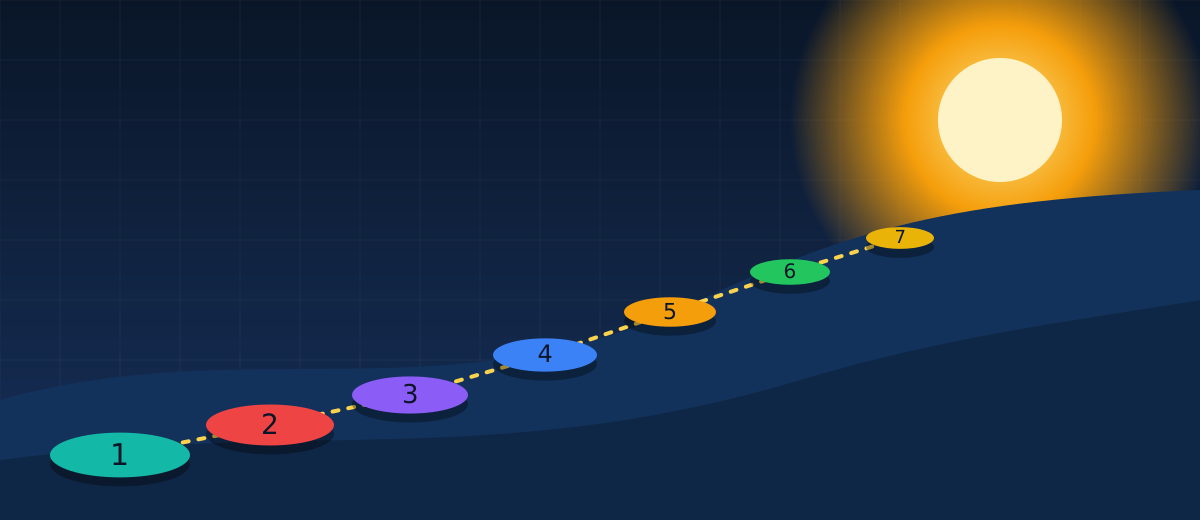
You do not need to fix all seven blind spots at once. You need a sequence. Here is a practical one that fits around a busy business.
See and protect
- Write your top-10 workflow map (Blind Spot 1).
- Publish a one-page AI use policy and approved-tools list (5).
- Run the no-blame team survey (4).
- Choose one low-risk workflow and clean its single data source (2, 7).
Pilot and train
- Record a baseline, then launch the 30-day pilot (6, 7).
- Apply the green, yellow and red review lanes and the five-line checklist (3).
- Name your AI champion and start weekly show-and-tell (4).
- Keep a shared page of what works.
Measure and expand
- Compare results with the baseline: keep, fix or stop (6).
- Decide where the freed hours go.
- Pick the next two workflows from your map (1).
- Book a recurring quarterly AI review (7).
Five things to do this week
- Block 90 minutes with your key people to draft the top-10 workflow list.
- Ask your team, without judgment, which AI tools they already use and for what.
- Write three sentences on what information must never go into public AI tools, and share them today.
- List every AI subscription the business pays for, and who uses each one.
- Retake the self-check in 90 days and compare your scorecard.
AI is a tool, not a promise. Results depend on your business, your people and the work you put in. The aim of this plan is clarity and steady progress, not overnight transformation.
Want a second set of eyes?
Talk through your blind spots
If your scorecard raised more questions than answers, a conversation can help. On a Strategy Call we look at where you scored lowest, which workflow makes sense to start with, and what a sensible first 90 days could look like for your business.
Schedule a Strategy Call →A short application helps us prepare. No pressure and no obligation.
About the author
Mark Yegge
Mark Yegge has been in business for almost 50 years; CEO of a Wall Street firm 1993-2005, sold to a top New York bank. The AI Blind Spot is his practical guide for established business owners and professionals who want to put AI to work.
Sources
- MIT NANDA (Challapally, Pease, Raskar, Chari), The GenAI Divide: State of AI in Business 2025. MLQ.ai, State of AI in Business 2025 report. Coverage: The Register, Aug 18, 2025.
- Microsoft and LinkedIn, 2024 Work Trend Index: AI at Work Is Here. Now Comes the Hard Part. Microsoft 2024 Work Trend Index; summary: Official Microsoft Blog, May 8, 2024.
- Mata v. Avianca, Inc., No. 1:22-cv-01461 (S.D.N.Y. June 22, 2023), Opinion and Order on Sanctions. Justia; Reuters.
- Moffatt v. Air Canada, 2024 BCCRT 149. CanLII; CBC News.
- Samsung generative AI restriction, May 2023. TechCrunch; Bloomberg.
- NIST, AI Risk Management Framework. NIST AI Risk Management Framework.